


This issue includes:
- How to Choose the Right Control Panel for a Meeting Room;
- iRidi Pro Specialist course;
- Mr Dat’s Villa on iRidi.
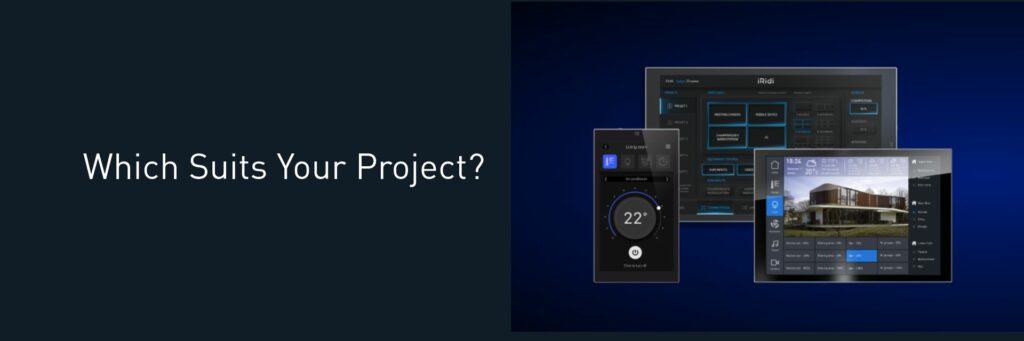
Choosing a control panel for a meeting room, a conference hall, or an executive office may seem straightforward: the larger the screen, the more convenient a panel is.
In a real AV project, however, the screen size is only one of several factors. It is important to consider where the panel will be installed, who will use it, and what scenes it will launch.
A control panel becomes for a customer a single control point for all systems of a room. A single control interface allows a user to start a meeting, to show a presentation, to connect to a video conference, to control lights, blinds ad climate. And when a meeting is over the same control interface returns the room to its initial state.
The key question here is not “Which panel is better?” but “Which panel suits a project and its requirements best?”
- Touch Panel P6
It’s a compact solution for smaller rooms: basic control, display of schedules, launch of scenes. - Touch Panel P8
A practical option for small meeting rooms: integration of AV equipment, lighting, blinds, and climate in a user-friendly intuitive interface. - Touch Panel P10
A solution for conference halls and complex spaces: numerous scenes, control zones and interface items.
A properly selected panel makes equipment control clear, fast, and convenient. When the solution matches the room and its intended scenarios, users do not need to think about how the AV system works. They simply select the required scenario and begin their work.
Become an iRidi Pro Specialist
iRidi Pro Specialist course starts on August 17. You will learn how to create your first automation project in iRidi Studio 2019 and master basic functions required for your future work.
Besides, you can create stylish visualization interfaces and integrate various equipment in one project. Be the best in your business – bring your customers’ ideas to life and create projects of any complexity!
The course lasts 3 weeks.
- the lessons in the format of video;
- practical tasks;
- feedback from a trainer.
After you complete the course and pass the final test, you get an iRidi Pro Specialist certificate. You have unlimited access to all video lessons.
Bonuses after the course:
- AV interface;
- 2 interface templates: Classical Black edition and Classical White edition;
- 2 interfaces to choose from the list: iOS 13 Black Edition, iOS 13 White edition, Flex 2 in 1.
If 3 weeks is too long for you, there is the faster course. Follow the link and register. Become the best in your business!
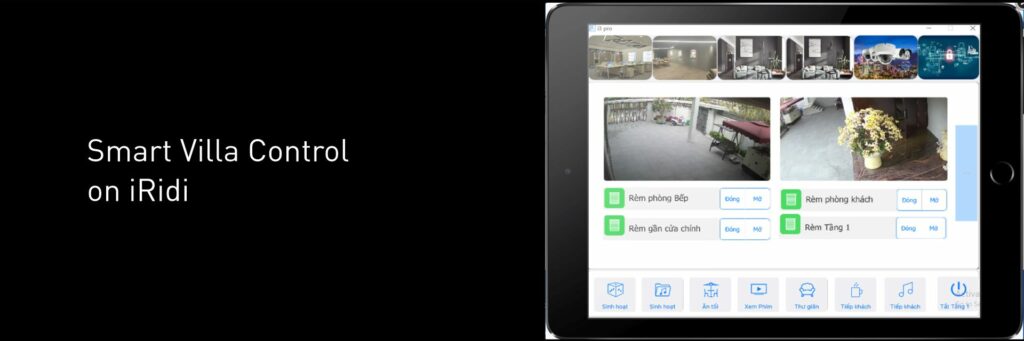
Mr Dat’s Villa on iRidi: Smart Home Control Overlooking Ha Long Bay
Located on a hillside overlooking Ha Long Bay, Mr Dat’s Villa is part of a 1,000 m² property, with the villa itself covering 300 m².
The main objective of the project was to provide flexible control of all connected systems through a single interface, available both on a smartphone and a control panel. iRidi Pro is used for system visualization, day and night scheduling, scene management, and saving preset parameters.
The project combines Siemens KNX equipment, KNX JUNG controls, DALI lighting, and a multi-zone audio system. The smart home can be controlled using a JUNG Smart Switch or an iPad Air 5.
Best wishes,
iRidi team