


This issue includes:
- Latest iRidi Pro Update;
- The iRidi Pro Specialist course;
- Multipurpose hall on iRidi.
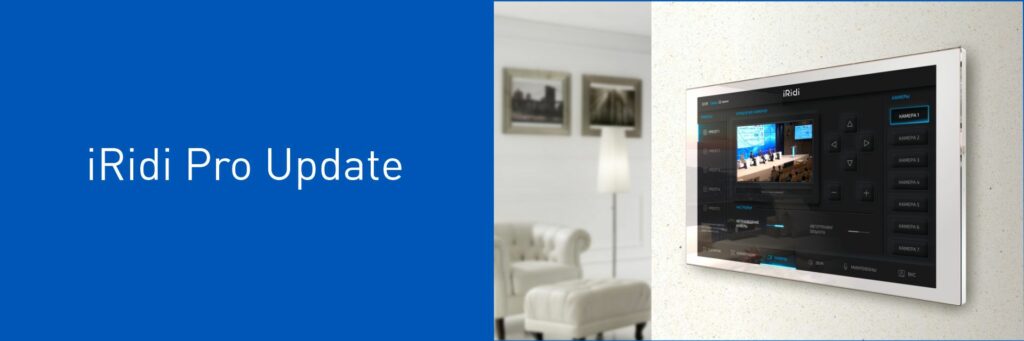
iRidi Pro 1.3.79: Update with New Features
Great news!
The new version 1.3.79 of iRidi Pro is now available. With the latest changes, the platform has become even more powerful, stable, and user-friendly.
What’s New?
Support for New Hardware:
- New drivers: Domintell DMR02 (8 relays), Philips HUE — significant expansion for integration possibilities!
- Critical fixes in Modbus TCP Slave (duplicate registers) and Visca Over IP (feedback handling in multi-driver projects).
iRidi Studio Improvements (v2.0.66.41920):
- New extensive IR code database — use ready-made codes to quickly configure your project and control devices.
- UX/UI updates: Collapse/Expand buttons, project name in window title, saved layout of windows/splitters, working hotkeys — faster and more convenient to work with.
- Enhanced KNX Import, and fixed critical crashes during saving, merging, and syncing.
Android & Server Enhancements:
- Android: Clear notifications when the app lacks required access permissions.
- Server: Ability to configure a custom NTP time sync server via the web interface; RPI update issues resolved — more control and stability.
Tools for Panels & Programming:
- WorkSpace: Added tab panel for pages/popups, text rotation for graphical elements, improved link counter, and All States sync for buttons.
- Key programming and quick server link setup — faster configuration for AV Remote Control.
- IR Learning: IR command training now available for both ProAV control processors and new I-PX-IR3 extension device.
- Programming: Fixed macro movement issues.
Server Logic & Stability:
- Fixed Interlock schemes, cyclic sync, and parameter issues in Routines.
- Token usage in command/feedback names of Virtual drivers is now restricted — improved security and code cleanliness.
Scripts:
- Fixed scaling issue in JS Editor — a small detail that matters.
Update to iRidi Pro 1.3.79 and explore the new possibilities today!
Become an iRidi Pro Specialist
On June 09 the iRidi Pro course will start. You will learn how to create your first automation project in the iRidi Studio 2019 and master basic functions required for your future work.
Besides, you can create stylish visualization interfaces and integrate various equipment in one project. Be the best in your business – implement ideas of your customers and create projects of any complexity!
The training lasts only three weeks.
- the lessons in the format of video;
- practical tasks;
- feedback from a trainer.
After you complete the course and pass the final test, you get an iRidi Pro Specialist certificate. You have unlimited access to all video lessons.
Bonuses after the course:
- AV interface;
- 2 interface templates: Classical Black edition and Classical White edition;
- 2 interfaces to choose from the list: iOS 13 Black Edition, iOS 13 White edition, Flex 2 in 1.
If 3 weeks is too long for you, there is the faster course. Follow the link and register. Become the best in your business!
Transformer Hall Powered by iRidi
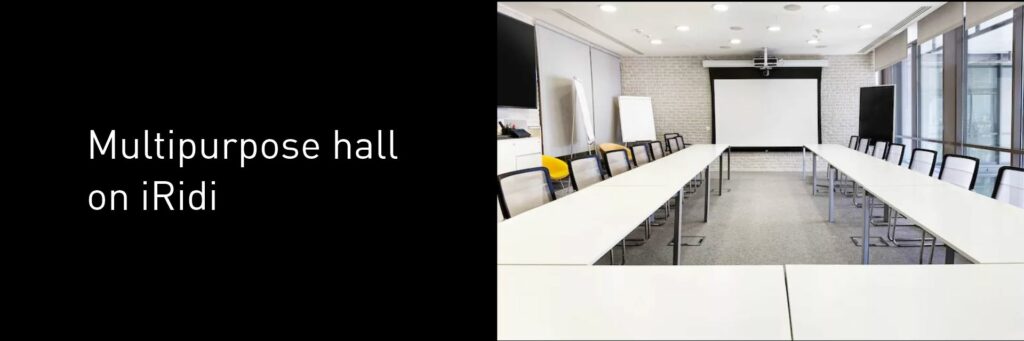
In a hall belonging to a fast-food chain’s corporate office, it was necessary to ensure proper sound capture, install cameras, and replace the projector. At the same time, the hall had to support multiple usage scenarios. Tables in the space can be arranged in different configurations, as the hall hosts meetings, video conferences, games, quizzes, contests, and also serves as a co-working space where people bring their laptops to work.
All equipment is integrated into a single system thanks to the use of the PX-VM20-Basic control processor.
Easy and intuitive control is provided through the Touch Panel P8.
Project highlights:
- A microphone array captures the speaker’s voice while filtering out background noise;
- PTZ cameras are configured to cover any area of the hall, respond to voice direction, and operate in “lecturer mode”;
- A combination of a projector, screen, and 86-inch TV (Diello DL-LU525UST projector and ViewScreen Premium screen). The TV can be used together with or instead of the projector to display presentations on either device.
The hall became a versatile, high-tech, and user-friendly space — exactly what the team was hoping for.
Best wishes,
iRidi team